What is NCEdCloud?
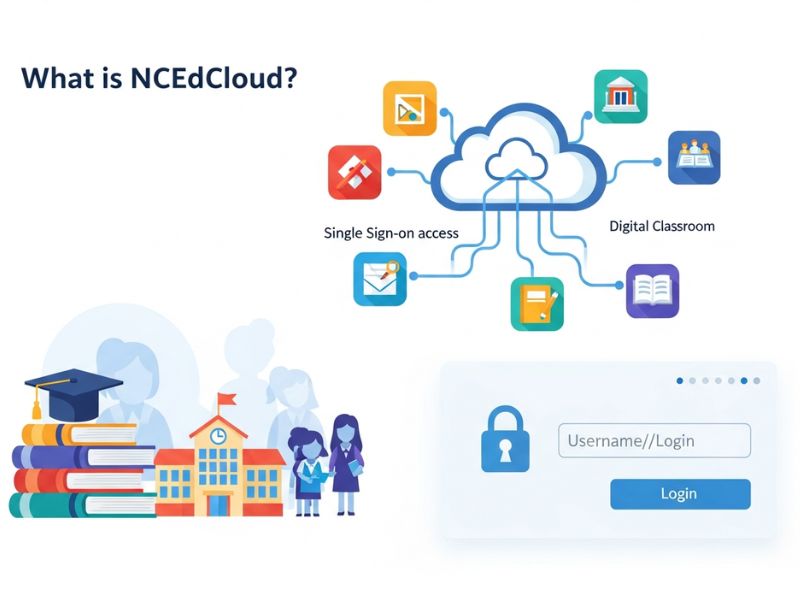
NCEdCloud was developed in North Carolina by the Department of Public Instruction. The real purpose was to assist the K-12 education system. It consists of a proper server for migrating to the cloud-hosting services. Users can access various educational resources or apps with a single login.
Objectives of the NCEdCloud:
- Higher reliability, performance, and availability
- Scale the efficiency and effectiveness depending on K-12 requirements and its usage
- Supportive of the latest data systems and instructions with similar infrastructure
- Assurance regarding the accessibility to the storage and computing sources
What was the purpose of creating NCEdCloud?
Before the existence of the NCEdcloud, all the schools in North Carolina were digitally disconnected. Students always require more than one account. Becoming tough for teachers to manage many credentials. There was no one system or platform to manage all these hassles. There was a requirement for the NCEdCloud to give accessibility to the resources. Computing in all areas without being dependent on any location or area.
What are the highlighted features of NCEdCloud?
The following are the specific features that help access the NCEdCloud in a better way:
Access control according to roles:
The prominent feature is role-based access control (RBAC). Users receive permissions depending on their roles, including students, staff members, teachers, or technicians. They can only log in and access the app corresponding to the assigned roles. The system is completely secure and avoids unauthorized accessibility.
Managing user accounts:
NCEdCloud makes it easy to handle the administrative activities. Administrators can easily create, deactivate, and update user accounts just from a single interface. This facility brings efficiency in managing their accounts.
Supportive to different users:
The performance of this platform is the best with various users, customized features, and interfaces. Students can view their own profiles and change passwords. All details are visible to the teachers. They even reset the passwords of their students. Many options are available for the administrators, such as approving requests depending on roles, creating and managing guest accounts.
Cloud services integration:
NCEdCloud integrates easily with federated identity management. The LEA framework assists in the faster implementation of cloud services. This educational platform has proper infrastructure and related processes needed for integration. There are no hurdles or technical issues for the adoption of this technology.
How does the NCEdCloud work?
Each person has their own user account. It is according to their roles and the availability of the corresponding resources. IAM integration checks the accounts after signing in and provides accessibility. The account type changes whenever the user role is changed. This makes the system secure and protective to use.
What are the advantages of using NCEdCloud?
- Center and secure user login
- Completely remote and mobile compatible
- Accessibility to many educational tools on a single application
- Smoothly third-party integration
- Better engagements with students and teachers
How can the user NCEdCloud login and access it?
NCEdCloud Login allows teachers and students in North Carolina to access school-related applications with a single login. There is no need to use a variety of passwords, and the possibility of the controlling tools like PowerSchool.
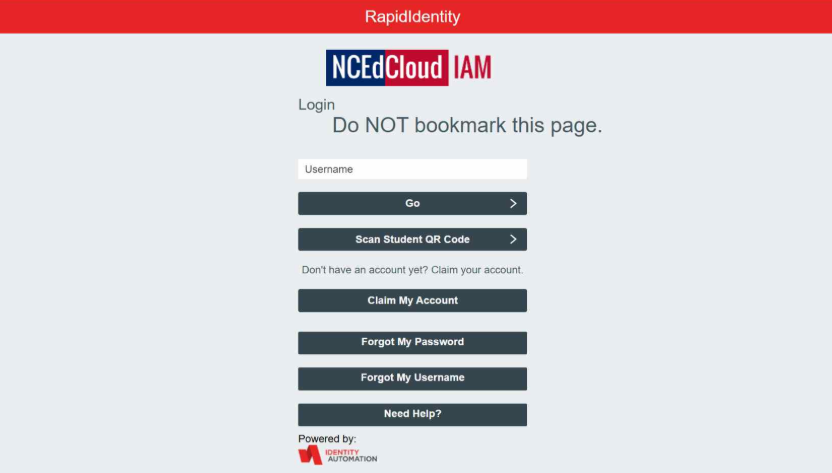
Requirements for NCEdCloud Login:
- Employee ID/Student
- Device availability (mobile, tablet, or computer)
- Password
- Username
- Answering the secret questions for the new users
- Latest version of the web browser
Login from desktop:
- Visit the website my.ncedcloud.org from web browser
- Click on the “Go” button after entering the username
- Enter the password
- Logged in successfully to the NCEdCloud
Log in from the QR code of the student:
- Visit idp.ncedcloud.org
- Click “Student QR code”
- The camera of the device opens automatically
- It is used for scanning the Student QR code
- After scanning the QR code, the user is directed to their dashboard immediately
Log in from an iOS device
- After opening the app store, look for “RapidIdentity”
- Download and install it.
- Open the “RapidIdentity” and choose “NCEdCloud” from the available list
- Click on “GO” after entering username and password
- Give your identity confirmation after answering the security questio or give a verification code
- After completing the verification process, redirect to the dashboard.
Troubleshooting issues with your NCEdCloud Login:
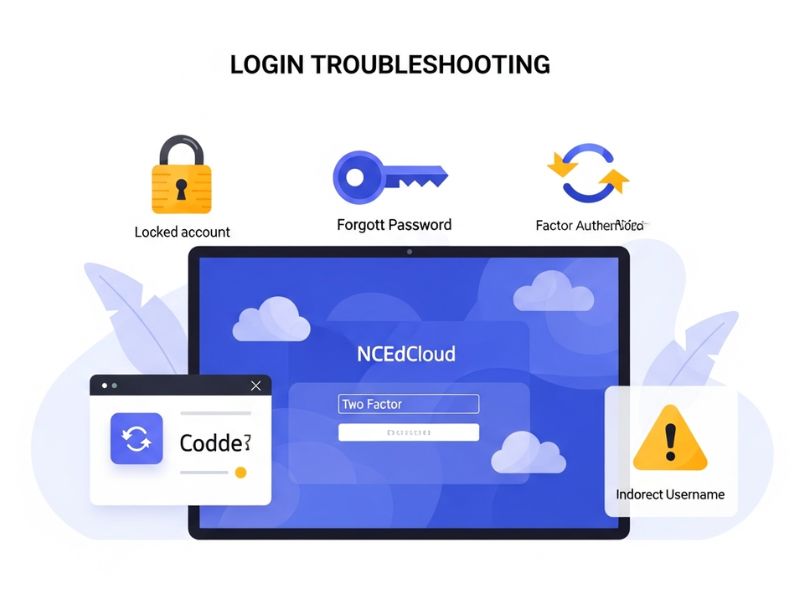
Locked account:
Contact the help center present in the school or area immediately after the account is locked due to unsuccessful login attempts.
Password forgotten:
Just click on the button of “Forgot password”. You need to answer all the secret questions, and your new password will be created.
Issues in authentication:
Must enter the accurate code to enable two-factor authentication. This code is received through email. It is generated through the application.
Username incorrect:
Must check that you have entered the correct username and check twice to avoid any mishap.
Which tools are mostly used in NCEdCloud?
- Canvas LMS (teaching and assignments)
- NCWise Owl (education and research purposes)
- PowerSchool (attendance and grades)
- Office 365 or Google Workspace
- Rapid Identity
Future education by NCEdCloud:
This cloud-dependent system is rapidly evolving due to technical advancements and proper upgrades. It is capable of managing more than 2 million accounts. Every update boosts the services for scalability, security, and reliability. All the latest tools help parents in supporting their kids’ education.
Conclusion:
NCEdCloud has revolutionized the North Carolina education system. Its features are the availability of tools for teachers and students. The most prominent one is personalization and access management (IAM), which allows NCEdCloud login. The actual goal is to present this platform as a targeted, user-friendly, and smarter way for learning purposes.
FAQs:
How to access NCEdCloud?
On your browser, enter my.ncedcloud.org and enter the user details required on the login screen.
How can users create an account on NCEdCloud?
All new users click on the “Claim my account” on the page of my.ncedcloud.org. They can choose a suitable claim policy, enter all the information, create a password, and answer all the security questions. Like: State Employee UID for teachers and pupil number is for the teachers.
Which browser is suitable for using this application?
There is no issue logging in from any browser. As a suggestion, the most suitable ones are the versions of Mozilla Firefox and Google Chrome.
What is the reason for creating it?
Its creation was to align, access related resources, include technology, and resolve issues to manage different accounts required for the application.