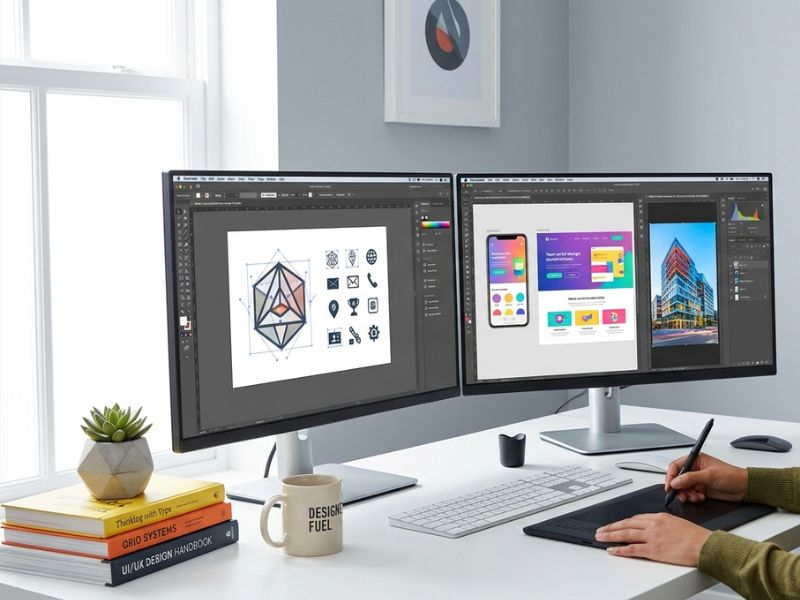
The tools you choose for graphic design can transform every aspect of your workflow. It impacts the speed, quality of your output, and frankly, how much you enjoy it. More often than not, people do not realise that whether you are a beginner designer or have been designing for years, the selected tools matter.
Some designers use just one tool for their entire career. Some people go through 5 different apps for different projects. Both methods are fine. It doesn’t matter what tools you work with. Let’s check out some of the best choices available at the moment.
Why Your Tools Shape Your Work
Bad tools slow you down. They frustrate you. They make simple tasks feel complicated. Good graphic design tools do the opposite. They get out of your way and let you focus on creating. At some point in their profession, every designer learns the hard way just how monumental the distinction between a tool that fits and one that does not actually is.
Consider the type of work you do the most. Are you a photo editor? Logos designs? Design website prototypes? There are special tools created for each of these tasks. Choosing the right one will save you hours each week. If you want professional design work done for your business without the learning curve, you can get a graphic designing related services now.
Adobe Creative Cloud
Adobe has been present for decades. That’s because there is a reason. You will not find a more powerful suite of design software anywhere, than Adobe Creative Cloud. Photoshop is used to edit photographs and make digital artwork. Great choice for vectors and logos. InDesign is used to create documents for print, magazines, and brochures.
Most design agencies run on Adobe tools. If you want to work with a professional team or freelance for clients, learning Adobe puts you at the right place from the beginning.
Photoshop is a graphic design tool that is the most widely used on Earth. The control it provides you over images is hard to beat. You can tweak any color, get rid of the background, touch up skin, create a composite, and much more.
Illustrator operates differently. It produces images using vectors rather than pixels. This means your designs will always look good regardless of their size or scale. An Illustrator logo will look just as good on the side of a bus as it will on a business card.
InDesign is for longer documents. If you need to design a 40-page report or a product catalog, this is where you do it. The subscription costs money every month. For beginners on a tight budget, that is worth thinking about. But for working professionals, it pays for itself quickly.
Canva
Anyone can design now, with the helpful aid of Canva. Canva is used daily by small business owners, teachers, social media managers, and marketers. It functions in a web browser. Does not require installation. You’ll pick a template, swap words and images, and you’re all set. It is this simplicity that makes it work for countless people.
Canva is a graphic design tool that has become immensely popular. The template library has social media posts, flyers, PowerPoints, business cards, and email headers. Various options are available for almost every need.
Solid plan to trial the service. What you get in the Pro plan is a brand kit, more storage, background remover, and premium templates. For most small businesses, the Pro plan is worth it. Canva is not a replacement for Adobe if you are doing complex professional work. But for quick, good-looking designs, it is hard to beat.
Figma
Figma changed how design teams work together. Before Figma, sharing designs meant sending files back and forth. Version control was a mess. Feedback got lost. Figma resolved all of these issues by shifting everything to the cloud.
Simultaneous file access is possible with multiple users working online together. Comments happen right inside the design. Clients can view prototypes in their browser without installing anything.
Figma is one of the most popular graphic design tool for anyone doing web or app design. It is greatly utilized by UX designers, product designers, and web designers. Figma is the tool to use if you’re designing interfaces.
It is free to start. Individual designers and small teams can do a lot without paying anything. Larger teams move to paid plans for more features.
Affinity Designer
Not everyone wants to pay Adobe every month. Affinity Designer is the strongest alternative. It is a one-time purchase. You pay once and own it. No subscriptions, no ongoing fees.
The specifications are really incredible. Affinity Designer supports vector and raster graphics in a single app. You can go from one mode to another without leaving the file. That kind of flexibility is something even Adobe does not do as smoothly.
Print designers, logo designers, and illustrators have been moving to Affinity Designer for a few years now. It produces professional results, and the price is very fair. For anyone looking for serious tools for designers without the monthly commitment, Affinity Designer belongs at the top of your list.
GIMP
GIMP is free. That is where most people start when they hear about it. Then they realize it is also genuinely powerful. Since 1996, a dynamic and dedicated development community has grown around it. GIMP works well for photo retouching, image composition, digital painting, and basic graphic design.
The interface isn’t like Photoshop. We need time to become comfortable with it. But once you learn where everything is, you can produce real, quality work with it. Among completely free graphic design tools, GIMP is the most capable option available right now.
Inkscape
Inkscape is the free alternative to Illustrator. You can run our open-source software (for Windows, Mac and Linux) at the very heart of your business. Inkscape is a great free option to Illustrator, plus it is great for logo & icon designing, illustrations, and vector art. The output files are standard SVG format, which works everywhere.
It is one of those design software options that gets underestimated a lot. The output quality can be excellent when the designer knows what they are doing.
How to Pick What Works for You
Consider your budget to begin with. GIMP and Inkscape offer a real deal if you don’t have cash to spend. If you can invest, Affinity Designer gives you professional results for a one-time cost.
Think about your work type next. Photo editing points you toward Photoshop or GIMP. Vector work points toward Illustrator, Affinity Designer, or Inkscape. UI and web design point toward Figma. Quick content creation points toward Canva.
Think about who you work with. Solo work means any tool can work. Team collaboration usually means that Figma or Canva works best. Tools for designers come in many shapes. The best one is always the one that fits your actual situation.
Professional design also requires more than good software. It requires experience and an eye for what works. If your business needs strong visual design paired with technical execution, the people at Bit Code Solution know how to deliver that.
Keeping Up With Changes
Design tools update constantly. New features drop every few months. Entirely new tools launch every year.
Design tools popular 5 years ago are no longer the same as those used by designers today. Staying in touch means following design communities, experimenting with new things, and developing your skills.
The designers who grow the fastest are those who remain curious. They try tools they have never used. They watch tutorials. They experiment on personal projects.
Good design is always in demand. Businesses that understand this invest in it seriously. If your brand visuals need a refresh, Bit Code Solution can help you get there.
Conclusion
The graphic design tools that one uses dictate the kind of work one can produce. There are options open to any designer, with Photoshop or even GIMP free options available, depending on one’s needs or budget. Begin right where you are. Use what works for you. Enhance your project as you work. A great design is a function of skill first and tools second. However, having the proper tools can propel the skill further.
Frequently Asked Questions
1. What are the best graphic design tools for beginners?
Canva is the easiest starting point. Affinity Designer is a great next step if you want more control.
2. Is Adobe Creative Cloud worth paying for?
For professionals, yes. It is the industry standard and the most complete design software set available.
3. Can free tools produce professional results?
Yes. GIMP and Inkscape can produce professional work. The learning curve is steeper, but the results are real.
4. What tools for designers work best for web and app design?
Figma is the top choice. It is built for collaboration and prototyping, which makes it ideal for digital product design.
5. Which graphic design tools run on both Mac and Windows?
Adobe Creative Cloud, Figma, Canva, Affinity Designer, and GIMP all run on both Mac and Windows.