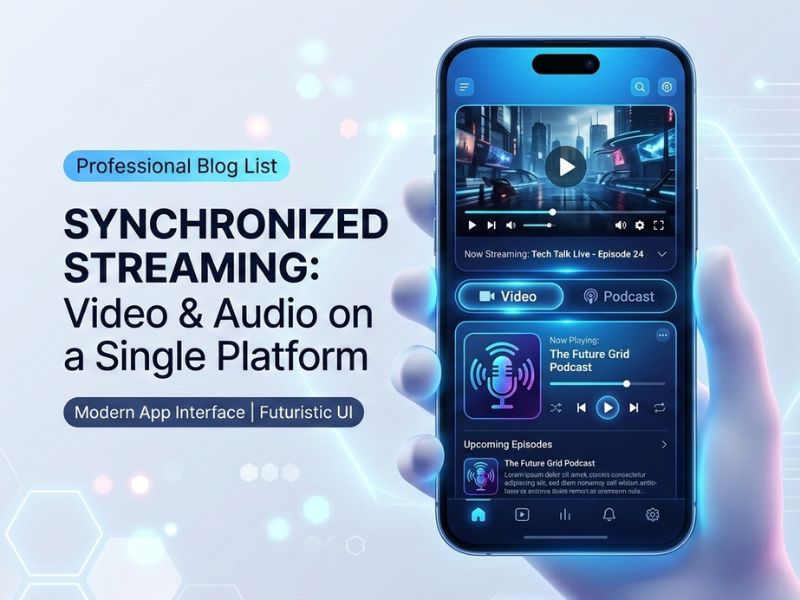
Over the past several years, mobile apps have changed drastically. These days, people do not just want to see video or just audio anymore. They want both. They want to switch between them without any hassle. That is basically what Application Mobile DualMedia is about.
An Application Mobile DualMedia allows users to watch video, listen to audio, and switch between formats without leaving the app
Whether you manage an enterprise or design an application, this write-up will help you understand what dual media applications are, how they work, what a dual media mobile app costs to build, and whether it makes sense for you.
What Is Application Mobile DualMedia
A mobile application of dual media is an application that deals with more than one kind of media. Typically, that refers to audio-visual combined, but can also mean simultaneous streaming and text, all in one place.
Users do not need to leave the app to shift formats. They can be watching a video and then switch to audio only. The app does this without interruption.
Think about Spotify. It started as an audio app. Now it has video podcasts too. The app is not required to use the feature. Spotify has everything you need. That is a real-world example of a dual media app.
A regular app is built around one thing. A video app only thinks about video. A music app only thinks about audio. A dual media mobile app is built from the start to handle both, which means the code, the backend, and the interface are all designed differently.
How Application Mobile DualMedia Works Technically
Frontend
Flutter is a suitable option for developing dual-media apps. One codebase runs on iPhone and Android, making application development an easier task. Media players perform well with the browser, and overall performance is good.
Another choice is React Native, especially if your team already knows JavaScript. It works fine for most dual media projects.
If you are focused solely on the iPhone platform, Swift offers superior performance and complete tools for Apple media. For Android only, Kotlin with ExoPlayer is the standard approach.
Backend
The backend manages all the application’s logic. Most dual device apps use Node.js or Python for API, PostgreSQL or MongoDB for data storing, and Redis for caching to keep the app fast.
Media Processing
The system does not merely save the video someone uploads. It converts to multiple qualities, creates thumbnail images, and can sometimes automatically generate an audio-only version. FFmpeg is the main tool used for this. It is open source and used by almost every major media platform out there.
For live streaming, tools like Wowza handle the real-time encoding and send it out to viewers.
Cloud
AWS is the most common choice. S3 stores the media files. CloudFront delivers them fast to users around the world through CDN servers. Firebase adds real-time features like live chat and push notifications.
Real Time Features
WebSockets are used for live comments, instant notifications, and synced playback. The application is maintained, and the connection between the server and the application is alive, so that data moves instantly without refreshing.
Key Features of an Dual Media Streaming App
Multi-format support
The application ought to be capable of giving live streams through HLS and WebRTC. Movies should be popular in video codecs, which include MP4 and MKV, and audio formats, which include MP3 and AAC. An unmarried media participant factor manages all of this and switches to whichever the person is looking at.
Works on both platforms
iOS and Android, different screen sizes, tablets. The app should feel consistent everywhere. Flutter makes this easier with one shared codebase.
Switching between formats
This is the main thing that makes a dual media app different. Can continue to listen to audio only if user is watching a video. The application returns to the previous location and makes its way straight ahead or follows the same route or course. No restart, no loading screen.
Notifications
Through push notifications, we are able to inform customers of new content, live activities, reply to remarks, and extra. The odds of customers attractive together with your notifications are notably multiplied if you time them properly.
Offline downloads
Content should be available on devices for offline watching or listening. Files are stored locally encrypted on the device and room expires based on licensing rules.
Recommendations
The app measures what you watch, what you skip, how much time you spend, and helps to recommend what you are likely to enjoy next. Users come back for more without additional marketing effort.
Monetization
Subscriptions, ads, pay-per-view for premium live events, and creator revenue sharing. A dual media app can run multiple of these at the same time.
Why Businesses Build an Application Mobile DualMedia
Users stay longer
When someone is capable of toggling among video and audio inside the app, he/she continues to stay on the platform even all through tour or while his/her eyes are off the screen. More time inside the app means extra revenue opportunities.
Lower churn
A user signed up to receive video content, but after discovering the podcast section, the user has two reasons to subscribe. One reason is easy to lose. Two reasons are harder.
Multiple revenue streams
Video earns from ads. Audio earns from subscriptions. Live events earn from ticket sales. Running all three from one platform means that if one has a slow month, the others cover it.
You own the platform.
You are giving those companies the ownership of the relationship with your audience by posting it on YouTube or Spotify. With your own dual media app, you own the user data, the experience, and the monetisation.
One app instead of three
Creating standalone applications for video, audio, and live content incurs higher costs and confuses users. One platform does everything and costs less to maintain long-term.
Who Uses These Apps
Entertainment
These days, being a video-on-call for the platform is not enough. A streaming service desires multiple categories to live to tell the tale. An included platform that combines movies, track, podcasts, and live events below one roof will lure human beings to subscribe extra.
Online learning
Whether it is the classroom, bus, or home, students can easily switch between offline, online, and live lectures as per their convenience. All from one app. This kind of flexibility improves course completion rates noticeably.
Podcasting platforms
Today, video podcasting is really popular. A service that enables creators to upload audio and video at the same time and gives the opportunity to each user to choose what they want is really appreciated.
Corporate apps
Companies make use of dual media applications for training, leadership updates, and company events. A worker could view this training video at their desk or listen to it on the way home.
Online stores
Product demo videos and live shopping events increase purchase rates. A shopping app with dual media support keeps customers engaged longer and helps them understand products better before buying.
News platforms
Some people read the news. Some people listen to it. Some people watch it live. One dual media news app can serve all three without splitting the audience across different products.
How Development Actually Works
Research first
You should know the users and their actual needs before starting to build anything. Discuss with real people from your target audience. See what competition is doing well and where it is lagging. This step saves a lot of expensive rework later.
Design
A dual media mobile app has more interface states than a regular app. Full-display video, audio mini participant, stay circulate overlay, and download supervisor. A dressmaker must make certain each state is well-planned in order that transitions feel seamless. Our group designs wireframes and prototypes of your product and runs tests on the users.
Development
The front-end team builds the interface and media players. The backend team builds the API, database, and media processing. The infrastructure team sets up cloud services. Teams work in two-week sprints and integrate their work regularly to catch problems early.
Testing
Every media format on every supported device and operating system. Performance tests that simulate thousands of users at once. Security tests on login, payments, and content access. This phase takes longer than most clients expect, but it prevents serious problems after launch.
Launch
Start with a beta group. Get feedback. Fix what needs fixing. Then open to the public. Set up auto-scaling on the backend so a traffic spike on launch day does not take the app down.
After launch
Oversee site performance, fix bugs, and ship updates based on user feedback. As more users sign up, scale the infrastructure accordingly. Focus on developing new features based on usage data.
Technology Stack for Application Mobile DualMedia
A modern Application Mobile DualMedia requires a scalable architecture that supports both video and audio streaming efficiently.
Framework choice
Flutter for most projects. One codebase runs on iOS and Android, strong media support, and good performance. It’s recommended to use React Native when the team is familiar with JavaScript. Swift and Kotlin are designed for a single platform to give you maximum performance.
Backend
Node.js or Python for the API. PostgreSQL for relational data. MongoDB is flexible in its data structure. Redis for caching. Docker and Kubernetes for deployment and scaling.
Cloud
AWS S3 for file storage. CloudFront or Cloudflare for CDN. Firebase for real-time features and notifications. PostgreSQL on AWS RDS for managed database hosting.
Security
Use of TLS 1.3 to protect data in transit. AES-256 encryption for stored files. Utilization of OAuth 2.0 to sign in. Widevine The android dmr iOS DRM for premium content by FairPlay.
Performance
Adaptive bitrate streaming modifies the quality of on-demand or live media. Using lazy loading causes the application to not load items that the user hasn’t yet. WebP format is faster in loading than the JPEG format. When downloading content, CDN caching allows you to load the data from a nearby server, not from the other side of the world.
Cost of Building an Application Mobile DualMedia
The core goal of an Application Mobile DualMedia is to allow users to consume different types of media without switching platforms.
What affects the price
The number of features, whether iOS is only or both, backend technology complexity, whether you require AI recommendation, the location of the development team, and maintenance requirements.
Price ranges
The estimated cost of building a basic app that incorporates video, audio, user account registration, and basic subscriptions is likely to reach 25-60k US dollars.
Depending on the features, a conventional app providing functionalities such as live streaming, offline downloads, push notifications and monetization will cost around 60,000 to 100,000 USD.
The entire platform including the AI suggestions, the creator tools, analytics dashboard and the admin panel will be 120,000 to 250,000 USD.
Following the launch, you’ll be required to pay an annual maintenance fee of around 15 to 20 percent of the original build.
Is it worth it
A service platform with 50,000 paying customers contributing 9.99USD monthly will generate approximately 6 million USD per year in revenue from subscription services alone. You can add adverts and premium content to that. The math works for businesses that are serious about building an audience.
Application Mobile DualMedia Optimization for App Stores
App Store listing
Words that people actually search for should be part of your app’s title and description. Terms such as dual media application, video and audio streaming, and multimedia platform. Having effective screenshots and a short preview video that shows your app in action will make a real difference to how many people download after they visit your listing.
Load time
It should not take more than two seconds to use the app. Ensure the first download is small. The app loads extra features in the background after opening. Cache the content the user accessed last time so it appears instantly.
Media file sizes
Encode video with quality levels available in H.264, H.265. Encode regular audio quality using AAC 128kbps, 320kbps for premium quality. Select WebP format for thumbnail and cover image. Selecting these options will allow you to save your bandwidth while speeding up load time and without a noticeable quality degradation.
CDN
Use a CDN for your media files so your users can get content from the closest server to them. Someone in Lahore shouldn’t have to wait for a file to come from a server in Ohio. CDN solves this and reduces buffering for international users.
Scaling
Configure automatic scaling from day one. When a popular creator starts streaming, and 10,000 users hit the app at the same time, everything should be fine in itself and without anyone manually adding servers.
Security
Encryption
AES-256 for files stored on the cloud. Make sure you use TLS 1.3 for everything moving between the app and the backend. Users can’t download or redistribute files they pay to stream, thanks to DRM for premium content.
Login security
Two-step login for user accounts. OAuth 2.0 allows users to log in with Google or Apple without providing your app their password. Tokens that expire early and refresh automatically to prevent hijacking.
GDPR
When dealing with users from Europe, GDPR is applicable. The use of a consent screen, a function for users to download and/or delete their information, and proper documentation describing how you handle personal information. Failure to comply can have dire consequences.
Signed URLs
No media file should be accessible to anyone who has its URL. Use signed URLs that will expire after a few minutes. Even if you copy any link, it stops working fast. With Login and Subscription, users can only generate a valid link.
Common Problems and How to Handle Them
Storage costs
Media files add up fast. Create lifecycle policies that automatically transfer old or low-access content to inexpensive cold storage. AWS Glacier charges less than standard S3 pricing. Active content stays in fast storage. Everything else moves down automatically.
Live stream delay
High delay in live streams makes the content feel pointless. Use Low Latency HLS or WebRTC to get a delay under two seconds. Make sure your CDN is configured properly and adaptive bitrate is enabled so slow connections reduce quality instead of buffering.
Device fragmentation
Android especially has thousands of different devices and OS combinations. Use automated testing platforms to run your app on real devices before each release. Set a minimum OS version and do not try to support every old device still in use somewhere.
Security breaches
Frequent repetition of penetration assessments is essential. Automated scanning should be part of your build pipeline to catch vulnerabilities early. A written plan outlining the course of action in the event of a breach, this helps the team resolve any issues without undue pressure.
Where This Is All Going
AI in media apps
We are now quite familiar with automatically generated subtitles and live translation, voice search, and content summaries. In just a few years, we should be able to ask the software to summarize a long video. Or, to translate a podcast into our language live.
AR and VR
Phones are getting capable enough to run basic AR and VR experiences without extra hardware. Future dual media apps will let users watch events virtually, try products in AR before buying, and join interactive live experiences through their camera. This is not mainstream yet, but it is coming.
Content ownership
Blockchain-based ownership is still early, but the idea is interesting. Instead of just streaming access, users could actually own a piece of content. Smart contracts pay creators automatically every time the content is sold or shared. Some media companies are already experimenting with this.
5G
5G on mobile devices means streaming 4K video without buffering becomes normal. Live stream delays drop below 100 milliseconds, which makes real, interactive live experiences possible. Lossless audio over mobile becomes practical. The bandwidth constraints that have limited mobile media for years are starting to disappear.
Why Bitcode Solutions
We have built mobile apps across entertainment, education, e-commerce, and corporate communication. Our team has real hands-on experience with dual media architecture, not just theoretical knowledge.
Every app we build is designed from scratch for that specific client. We do not copy old projects and change the colors. We start with your users, your content, and your goals, and build toward those.
We work in two-week sprints and show you working software throughout the project. You never have to wonder what is happening or wait until the end to see results.
After launch, we stay involved. Monitoring, bug fixes, updates, and new features. We are not hard to reach when something goes wrong.
Conclusion
Dual media apps are where mobile content is heading. Users want flexibility. They want to watch when they can and listen when they cannot. They do not want to switch between five different apps to do that.
Businesses that build a platform now, while this shift is still happening, will have a real head start. The technical complexity is manageable with the right team. The costs are justified by the revenue potential. And the user behavior trends are clearly pointing in this direction.
If you are thinking about building an Application Mobile DualMedia, Bitcode Solutions is a good place to start that conversation. We know this space, and we build things properly.
FAQs
What is Application Mobile DualMedia?
It is a mobile app built to support more than one type of media content, usually video and audio, in one place. Users can switch between formats without leaving the app.
How much does it cost to build?
A basic version starts around 25,000 to 50,000 USD. A full platform with live streaming, AI features, and monetization tools runs from 80,000 to 200,000 USD, depending on scope. you can contact BitCodeSolution for App Development services
Which technologies work best?
Flutter for the app itself. Node.js or Python for the backend. AWS for cloud infrastructure. Firebase for real-time features. These are the most common and well-tested choices for this type of project.
Can a startup afford this?
Yes. Start with an MVP that covers the core use case. Get it to market, see how users respond, and build from there. You do not need the full platform on day one.
How long does it take?
A focused MVP takes three to five months. A full platform takes eight to fourteen months. With agile development, you get a working version much earlier and can start testing with real users before everything is finished.