
Your browser knows a lot about you. That’s not exactly breaking news. But what might surprise you is just how much it shares with every single website you visit, often without asking permission first.
Even if you’re careful about privacy (VPN running, cookies cleared, incognito mode on), your browser could still be giving away your location, device details, and real IP address. And most people have no idea it’s happening.
What Your Browser Tells Websites
When you load a webpage, your browser hands over a packet of technical information. Screen resolution, operating system, installed fonts, timezone, language preferences. Seems pretty boring on its own, right?
The problem is that combining all these details creates something called a browser fingerprint. The Electronic Frontier Foundation ran a study and found that 84% of browsers have completely unique configurations. If you’ve got Flash or Java installed, that number climbs to 94%.
Think about that for a second. Your specific combination of Windows 11, that ultrawide monitor you bought last year, the three extensions you installed, and your GMT+2 timezone? There’s probably nobody else with that exact setup. Websites don’t need cookies to recognize you when your fingerprint does the job just fine.
The WebRTC Problem Nobody Talks About
WebRTC is built into Chrome, Firefox, Edge, and basically every modern browser. It’s the technology that makes video calls and screen sharing work without needing to install anything extra. Pretty useful stuff.
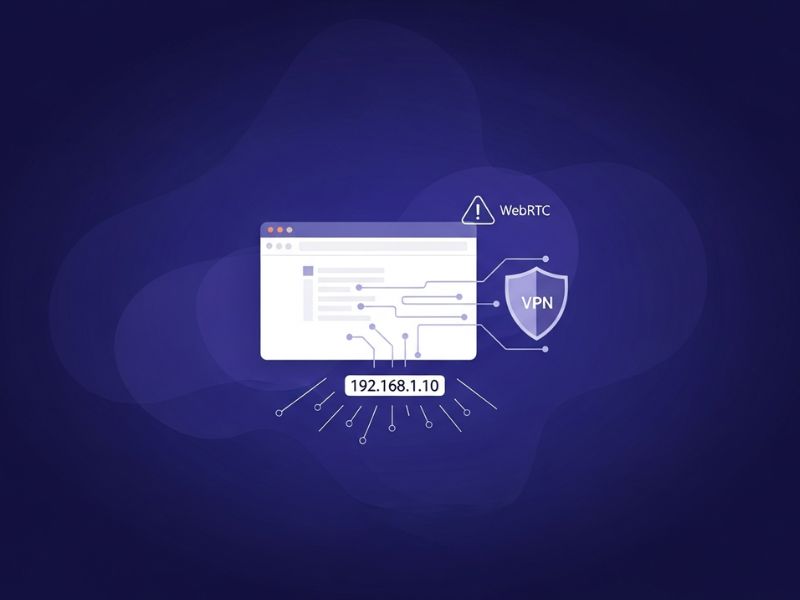
Here’s the catch: WebRTC needs to find your IP address to establish peer-to-peer connections. And it’s aggressive about it. The technology can bypass your VPN entirely and expose your actual IP to any website that asks for it. You can run a webrtc test to see if your setup is affected.
Wikipedia’s entry on WebRTC notes that TorrentFreak reported this vulnerability back in 2015. The frustrating part? It’s not a bug that can be patched. This is just how WebRTC works. Research shows websites use WebRTC for IP harvesting about 15 times more often than for its actual purpose of enabling video calls.
Canvas Fingerprinting Gets Creative
IP leaks aren’t the only concern. Canvas fingerprinting is a technique where websites ask your browser to draw an invisible image, then analyze exactly how your computer rendered it.
Every machine draws graphics slightly differently based on the GPU, drivers, and OS. According to the EFF’s Panopticlick project, canvas data alone can uniquely identify over 60% of users. WebGL fingerprinting adds another layer by probing your graphics card’s 3D capabilities.
The scary part is that these identifiers stick around. Clearing cookies does nothing. Private browsing mode doesn’t help. Your VPN won’t block it. The fingerprint follows you across sessions because your hardware configuration doesn’t change.
How to Actually Check for Leaks
Testing this stuff is pretty straightforward. First, visit a fingerprint testing site without any privacy tools enabled. Write down your IP address and the fingerprint hash it shows you.
Now turn on your VPN or proxy and run the same tests. If your original IP shows up anywhere (especially in the WebRTC section), you’ve got a leak. The Wikipedia page on device fingerprinting explains that these fingerprints work as global identifiers that users can’t control the way they control cookies.
Firefox users have an easy fix for WebRTC: type about:config in the address bar and set media.peerconnection.enabled to false. Chrome users need an extension since there’s no built-in toggle. uBlock Origin includes WebRTC blocking if you dig into its settings.
Making Your Browser Less Chatty
A layered approach works best here. Browsers like Brave and Firefox have built-in fingerprint protection that randomizes some of the data websites collect. Pairing that with a solid VPN covers most bases.
One counterintuitive tip: fewer extensions actually means better privacy. Each one you install adds to your fingerprint’s uniqueness. That privacy extension you downloaded might be making you easier to track, not harder.
Browser updates can reset your privacy settings without warning, so checking periodically matters. What protected you last month might be leaking today.
Your browser will never be perfectly private. But knowing what it reveals (and taking a few steps to limit that) gives you back some control over your own data.