
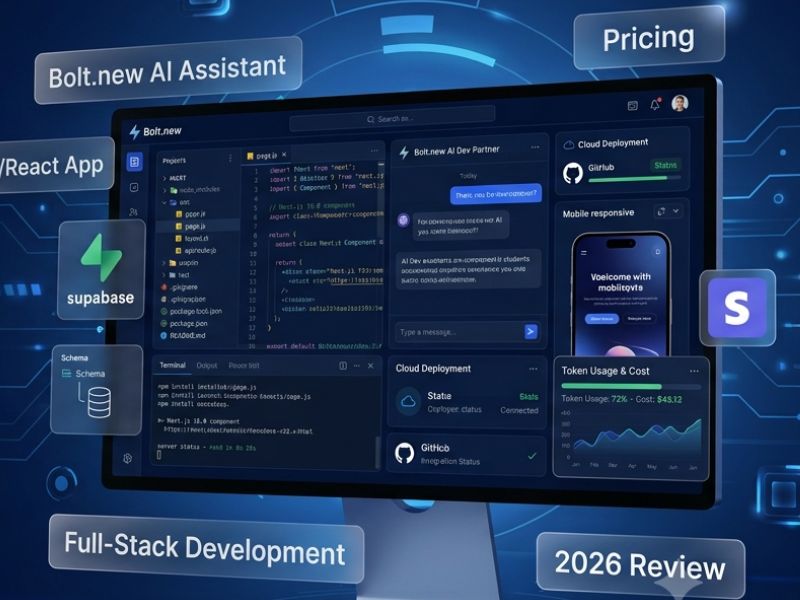
Development of any website or application requires a lot of coding and knowledge about tools. However, AI development platforms make this process much easier now. Among other apps, there is an AI tool called Bolt.new which was developed by StackBlitz.
This platform enables creating web applications just by describing one’s idea through text prompts. This way, a user does not have to write down every single line of code since it is generated by Bolt by itself. It offers the creation of an application with frontend, backend, database connections, and even the choice of deployment.
The main difference of Bolt from website builders is that it provides the creation of editable code that a person can further change, edit, and develop. Thus, it is helpful to those who are going to build something on its basis such as developers, startups, agencies, and even technical founders.
Bolt also works according to the open development principle that is why it generates real application code instead of keeping a user inside its platform. In our Bolt.new AI Review 2026, we are going to examine features, pricing, token system, pros and cons of this platform and find out if it is worth trying.
How Bolt.new Works
How Bolt.new works involves the use of AI agents together with the browser-based development environment. It is easy for the users to develop the application without needing to install any software on the computer.
The steps include:
1. Enter Your Prompt
The users describe the concept in simple English.
For instance:
“Develop a SaaS dashboard having user authentication, billing functionality, and graphs for analytics.”
Bolt knows what needs to be done and builds up the project architecture.
2. AI Creates a Full-Stack Application
Bolt is capable of generating full application configurations, which include:
- React apps
- Vue apps
- Next.js framework
- Node.js backend configurations
- Database connectivity
- Supabase configurations
As opposed to simply generating the visual prototype, Bolt generates code that developers can enhance and improve upon.
3. Test Everything Inside Your Browser
A great benefit offered by Bolt is the browser-based environment.
It enables users to:
- Quickly preview apps
- Test their functionality
- Correct errors using AI prompts
- Change any code
No need for any complex configuration locally.
4. Deploy Your Project
Once the projects have been developed, users will be able to deploy their projects via Bolt Cloud or use other deployment tools such as Netlify, Vercel, Github Pages, Cloudflare Pages or any other.
The entire process is enabled here:
Idea → Development → Testing → Deployment
in one place.
Bolt.new AI Features in 2026
Some of the enhancements made by Bolt which improve the speed and practicality of AI-assisted development are:
Figma Import
Designers can now import their designs in Bolt and turn their layouts into an interactive interface.
This feature allows teams to minimize the difference between design and development. While designers prepare the screens in Figma, developers create code from those designs using Bolt.
Advantages of Figma Import feature:
- Quick UI development
- Accuracy in designs
- Collaboration between designer and developer
Team Templates
In the case of companies developing various projects, Team Templates become a real time-saver.
The team can develop a project template which will allow starting new projects based on the template.
Useful in the following cases:
- Software houses
- Development teams
- Start-ups
Rather than inventing the wheel each time, people may create their own framework.
Standard vs Max AI Agent Modes
Different capabilities of AI agents are offered by Bolt based on user needs.
The default mode suits the following uses:
- Simple sites
- Small apps
- Simple feature updates
Advanced AI modes are ideal for:
- Large apps
- Debugging issues
- Multi-stage projects
Selection of the proper mode can assist users in handling token consumption effectively.
Editable Netlify URLs
Bolt helps users publish projects and control their published URLs.
After publishing projects on Netlify, users can easily modify the URL for professional purposes without having to redevelop the application again.
Bolt.new Pricing Breakdown 2026
Bolt uses a token pricing structure. The number of tasks that you would be able to do using AI would depend on the number of tokens you have.
This is the current pricing structure:
| Plan | Price | Tokens | Best For |
| Free | $0/month | 1M tokens/month | Testing and small projects |
| Pro | $25/month | 10M tokens/month | Developers and creators |
| Teams | $30/user/month | Pro features + collaboration tools | Agencies and teams |
| Enterprise | Custom Pricing | Advanced business features | Large organizations |
Bolt Token System Explained
Tokens power the artificial intelligence training process at Bolt.
Token usage depends on:
- Prompt complexity
- Code generation length
- Files modified
- Debugging requests
- Project complexity
An easy landing page requires few tokens, while a complex SaaS solution requiring authentication and database connection may require significantly more tokens.
Examples include:
Small portfolio website:
Reduced number of tokens used
A market place application that involves payments and dashboard feature:
More tokens used
It is important to note token usage since big applications can easily exhaust the monthly quota.
Hidden Costs: Why Tokens Can Burn Quickly
Many people tend to underestimate how fast tokens get used up when developing.
The main problem is debug iterations.
A typical process flow is as follows:
- The person develops an application.
- AI develops code.
- Bugs show up.
- The user requests Bolt to fix bugs.
- Iteration uses up more tokens.
Larger projects may need many AI interactions before achieving stability.
To avoid wasting tokens unnecessarily:
- Formulate good prompts
- Design features before coding
- Do not keep changing requirements constantly
Pros and Cons of Bolt.new
Pros
Application Development Speed
The speed at which Bolt can convert ideas into apps is amazing.
Actual Editable Code
Bolt doesn’t belong to the category of no-code platforms that only create templates.
Web-Based Development
Users need not install any development environments for building apps.
Perfect for MVP Development
It helps start-ups quickly validate their idea without investing in full development.
Cons
Token Limitations
Heavy tasks will exhaust token reserves rapidly.
Technical Skills Required
While Bolt makes development easy, some projects do demand coding skills.
AI Generated Code Needs Testing
The code generated by AI will have to be reviewed.
Complex Features Require Additional Efforts
Some integrations need a developer’s intervention.
Best Use Cases for Bolt.new
Bolt is particularly helpful for those who wish to be fast yet remain in control of their code.
Developers
Bolt allows developers to:
- Create prototypes
- Create projects
- Automate coding processes
- Debug faster
Technical Founders
The founder of a startup can develop MVPs and validate business ideas without forming development teams.
Examples:
- SaaS
- Dashboards
- Customer portals
- Web applications
Digital Agencies
Bolt enables agencies to complete projects quicker.
The advantages include:
- Client Prototypes
- Landing Pages
- Custom Web Apps
- Quicker Development Cycle
Who Should Use Bolt.new AI?
Bolt makes sense for:
- Programmers looking for an AI coding aid
- Technical founders working on MVPs
- Agencies handling many projects
- Groups requiring streamlined coding processes
Nevertheless, absolute beginners without any technical expertise might require some coding skills for more complex uses.
Is Bolt.new Worth It in 2026?
Bolt.new is an outstanding AI software for developers looking to maintain a good balance between automation and programming.
The key strength of Bolt.new is its ability not only to generate designs but also fully functional applications that feature editable code and databases.
The free version is good for trying out ideas, whereas the Pro version will bring more value to the developer’s experience. Teams will get collaboration opportunities and templates for reuse.
For prototype, MVP, and production foundation creation, Bolt.new should be considered in 2026.
Final Verdict
Bolt.new is revolutionizing how developers and startups think about building applications.
In light of its combination of AI generation, web-based programming, and deployment capabilities, it drastically cuts down the development time needed.
It is not a substitute for professional developers, but it definitely serves as an excellent productivity tool. You can Check this guide for some other useful tools for development.
To achieve fast development and quick testing of your ideas while remaining in control of your code, Bolt.new is a great AI development platform. Lovable AI and Replit AI are also great alternatives to consider.