If you’ve ever tried to get a straight answer on NetSuite pricing, you already know the drill: lots of “it depends,” a calculator here, a ballpark there, and very few concrete explanations of what actually drives your bill.
That uncertainty is a problem when you’re the one responsible for budgets, system selection, and long-term ROI.
This article is designed to fix that.
We’ll break down how NetSuite licensing actually works, what NetSuite license and user fees really cover, and how to estimate costs in a way that makes sense to finance, IT, and leadership — without needing to read three different vendor PDFs just to decode the basics.
Why NetSuite Pricing Feels So Confusing
NetSuite is incredibly flexible. That’s the good news.
If you need a quick primer on the system itself, you can read this overview of NetSuite on Wikipedia.
The less-fun news is that flexibility means the price isn’t a simple “$X per user, per month” number. Your subscription is a mix of:
- A core platform license (your edition)
- User licenses (how many people need access, and what kind)
- Modules and add-ons (extra capabilities beyond core ERP + CRM)
- Implementation and ongoing services (what it takes to get value out of it)
Most of the frustration comes from focusing on just one of these pieces — usually the per-user fee — and ignoring how everything else multiplies in the background.
Let’s untangle each piece.
The Building Blocks of NetSuite Licensing
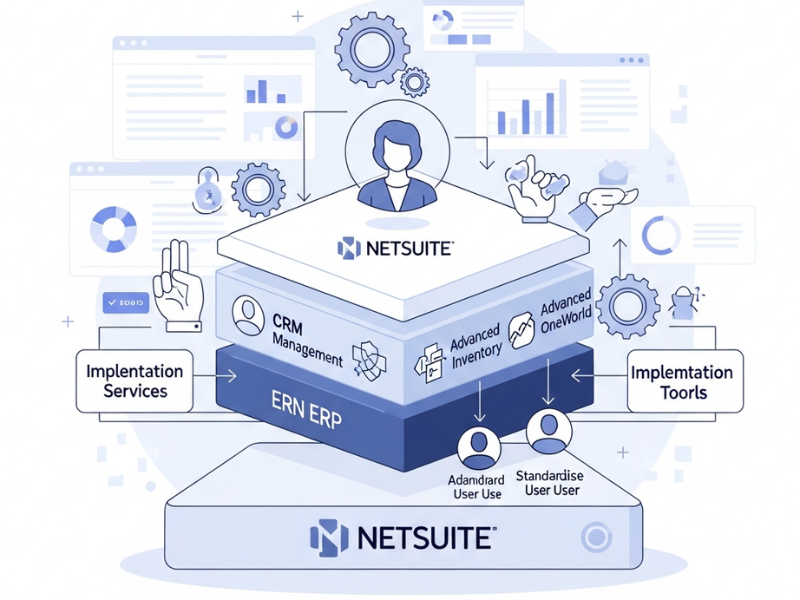
Think of NetSuite pricing as a layered stack:
1. Edition (the base platform)
You start by choosing an edition that broadly matches your size and complexity.
- Smaller, single-entity companies start on a “starter” or “emerging” edition.
- Mid-market and global organizations move into “mid-market” or “enterprise” options.
Editions typically include core financials + CRM, and they come with built-in assumptions about how many users and subsidiaries you’ll have.
2. Users (who actually logs in)
NetSuite uses a named user model. Every person who logs into the system has their own license. There’s no concept of a shared “floating” pool of users.
3. Modules (what the system can actually do)
Need advanced revenue recognition, complex manufacturing, WMS, or project accounting? Those are often separate modules that get added on top of your base edition.
4. Service tiers & technical limits
As you grow, you might need higher “tiers” that allow more users, more storage, and higher transaction volumes. This is especially relevant for fast-growing or transaction-heavy businesses.
5. Services (implementation, customization, integrations, training)
The software subscription is only half the story. Getting NetSuite live, integrated with your existing stack, and tailored to your processes is an additional — and significant — part of your total investment.
Once you see all five layers, the conversation about “how much does NetSuite cost?” gets a lot more honest.
The Two Main NetSuite User Types (And Who Needs What)
Most of your recurring subscription revolves around user licenses, so getting this right is critical.
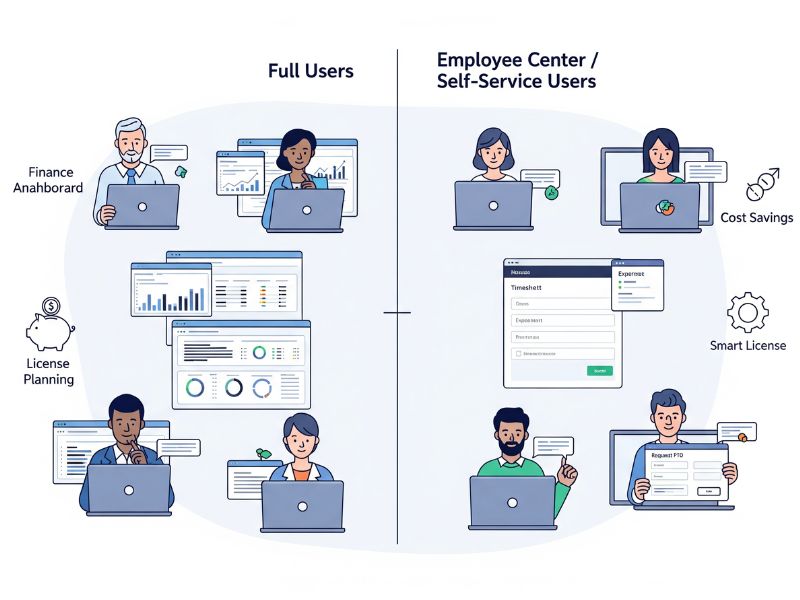
1. Full User Licenses
A full user is anyone who regularly works inside NetSuite to execute daily tasks. Think:
- Controllers, accountants, AR/AP clerks
- Operations managers, purchasing and inventory teams
- Sales reps using NetSuite CRM
- System administrators and power users
These users need the ability to:
- Create and approve transactions
- Run and interact with dashboards and KPIs
- Drill into records, edit data, and use workflows
Because they have broad capabilities, full users are the most expensive type — and they’re usually the biggest driver of your overall subscription.
2. Employee Self-Service / Employee Center Users
On the other side, you have light users — people who only need to:
- Enter timesheets
- Submit expense reports
- Request PTO
- Acknowledge tasks or approvals
NetSuite sells these as employee center or self-service users, typically in bundles. Instead of paying for 50 full users for everyone in your company, you might license:
- 20 full users (finance, operations, sales leaders), and
- Bundled light users for dozens or hundreds of employees who just need basic self-service access
This is where smart planning saves serious money. Misclassify users and you’ll either overpay, or frustrate staff who don’t have enough access.
“Free” Users: Vendors and Customers
Not everyone interacting with your data needs to be a paid user.
NetSuite includes portals that allow certain external stakeholders to connect without consuming a standard license. For example:
- Vendor Center – Vendors can log in to see POs, invoices, and payment status.
- Customer Center – Customers can check orders, make payments, and submit cases.
Deployed well, these centers:
- Improve customer and vendor experience
- Reduce email back-and-forth
- And crucially, don’t bloat your user count
This is a key lever for controlling NetSuite license and user fees without compromising transparency or service.
What About Read-Only Users?
Here’s one area that surprises many teams: NetSuite does not offer a dedicated “read-only” license.
If someone needs to:
- Log in to NetSuite
- View dashboards or reports
- Click into records
…they’re treated as a full user, even if they never post a single transaction.
Common workaround:
- Give reporting power users full access
- Use scheduled and emailed reports (Excel, CSV, PDF) to share information with executives, board members, auditors, and managers who don’t need to be in the system daily
This keeps your user count realistic while still giving decision-makers the visibility they need.
Beyond Licenses: Fees You Can’t Ignore
Even the cleanest license quote only tells part of the story. To build a realistic budget, you also need to consider:
1. Implementation
Implementation often lands in the five- to low six-figure range, depending on:
- How many modules you deploy
- How complex your processes are (multi-entity, multi-currency, industry regulations)
- How much historical data you migrate
- How much training and change management you invest in
Rule of thumb: the more you try to “rebuild your old ERP inside NetSuite,” the more you’ll pay in time and services.
2. Customization
NetSuite can be tailored with:
- Point-and-click workflows (great for approvals, notifications, simple logic)
- Custom scripting and apps (for deeper automation, complex logic, specialized integrations)
Customization itself isn’t bad — in fact, it’s often where the real value is unlocked. The problem is uncontrolled customization, where you end up with a fragile, overly complex system that’s expensive to maintain.
3. Integrations
NetSuite rarely lives alone. You may need it talking to:
- Your CRM (if you’re not using NetSuite CRM)
- eCommerce platforms
- Payroll and HR systems
- 3PLs, logistics, or industry-specific tools
Here you’ll encounter:
- One-time integration build or setup fees
- Possible subscription fees for iPaaS tools or managed connectors
- Ongoing maintenance and support
Well-chosen pre-built connectors can keep integration costs much more predictable than bespoke, from-scratch builds.
4. Training & Support
Too many teams underbudget for this.
If your users don’t know how to work effectively in NetSuite, your ROI evaporates. Smart teams set aside budget for:
- Role-based training at go-live
- Refresher sessions after major releases
- Power-user enablement so you’re not dependent on consultants for every small change
A Practical Framework to Estimate Your Own NetSuite Costs
Let’s bring this down to earth. Instead of chasing a magic number, walk through this sequence:
Step 1: Map Your Core Processes
List the workflows you need NetSuite to handle, such as:
- Order-to-cash
- Procure-to-pay
- Inventory and fulfillment
- Project accounting and time tracking
- Subscription billing and revenue recognition
This tells you which modules you truly need vs what’s “nice to have” for phase two.
Step 2: Categorize Users by Role and Frequency
For each department, ask:
- Who lives in NetSuite all day?
- Who just needs to submit time, expenses, or basic approvals?
- Who only needs periodic visibility into reports or dashboards?
This gives you a realistic split between:
- Full users (core license driver)
- Self-service/employee center users
- Stakeholders who can be served with emailed reports
Step 3: Align on the Right Edition
Based on your:
- Number of entities
- Number of full users
- Transaction volume and growth expectations
…you can narrow down which edition tier makes sense now and for the next 3–5 years.
Upgrading editions mid-stream is possible, but it’s generally easier (and sometimes cheaper) to choose a path that supports your growth from the start.
Step 4: Add the Implementation and Services Layer
Now layer in realistic assumptions for:
- Implementation (phased if needed)
- Integrations (start with critical systems)
- Training and ongoing support
Suddenly, your “how much does NetSuite cost?” question turns into a structured, defensible budget that your CFO can get behind.
Avoiding Nasty Surprises at Renewal
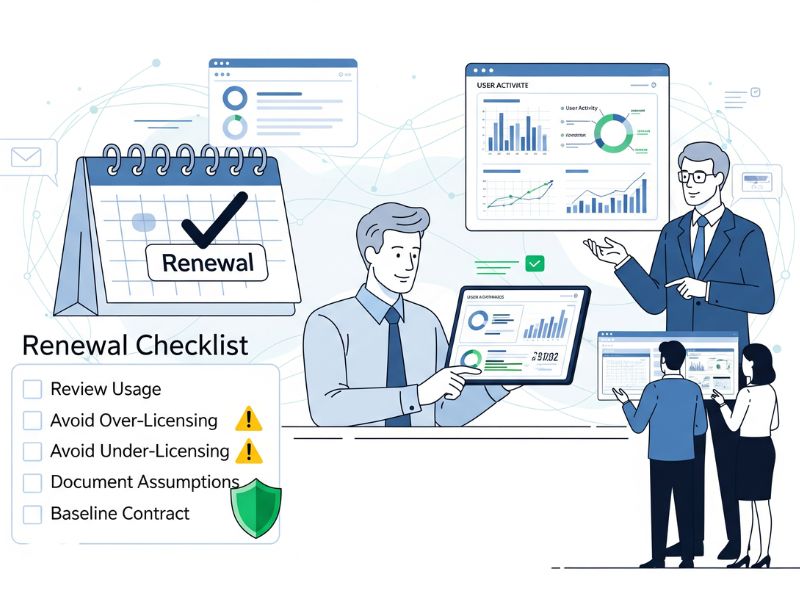
Many horror stories aren’t about year one — they’re about renewal. To protect yourself:
- Avoid over-licensing. Don’t pay for users who never log in. Review actual usage before renewals.
- Avoid under-licensing. Shared logins may seem like a quick fix, but they break audit trails and get messy fast.
- Document your assumptions. Capture the rationale for user counts, modules, and service tiers. That way you can re-evaluate with data, not guesswork.
- Treat the first contract as your baseline. Discounts, bundles, and terms in your initial agreement ripple through future renewals.
Working with an experienced partner who lives and breathes NetSuite pricing can save you from expensive missteps here.
For a deeper dive into the moving parts behind NetSuite license and user fees, including examples and common configuration patterns, it’s worth reviewing a specialist’s breakdown rather than relying solely on generic pricing ranges.
Final Thoughts: Think in Value, Not Just in Licenses
At the end of the day, NetSuite is rarely the cheapest option on paper — especially if you compare pure subscription numbers against entry-level tools.
Where it earns its keep is in:
- Consolidating scattered systems into one integrated platform
- Giving you real-time visibility into your numbers
- Automating manual, error-prone processes
- Supporting multi-entity, multi-currency growth without constant system changes
When you model NetSuite license and user fees, don’t just ask, “How much will this cost us?” Ask, “What will it let us stop doing manually, and where will we grow into this platform over the next 3–5 years?”
If you’re serious about building a realistic budget and avoiding surprises, pairing the framework above with a detailed NetSuite pricing guide can give you both strategic clarity and tactical numbers — so you can make a decision with confidence, not guesswork.