

Let’s be honest: most free storage plans are becoming more frustrating every year. If you want a full comparison of both free and paid tools, check out our complete cloud storage alternatives guide. Google’s 15GB disappears quickly since it’s shared with emails and photos, which is why many users are now switching to better Google Drive alternatives. Fortunately, there are still great options in 2026 that offer 10GB to 20GB of space, often with better privacy features included for free.
This guide is for students, freelancers, and everyday users who don’t want to hand over a credit card just to back up their files. We tested and reviewed each option honestly. No fluff. No hidden catches buried at the bottom.
What Makes a Good Free Cloud Storage Plan?
Not all free plans are equal. Some look generous on paper but fall apart when you actually use them. Here’s what actually matters before you sign up.
Storage amount: Anything under 5GB is practically useless in 2026. A good free tier starts at 10GB. If a service offers 20GB or more for free, that’s genuinely impressive.
No forced credit card sign-up: If a service asks for your payment details just to access a free plan, that’s a red flag. The best cloud storage alternatives let you sign up with just an email.
Upload and file size limits: Some services limit uploads of each file to 250MB and 500MB. It might be okay for documents, but bad if you want to save videos or big design files. Always confirm this before proceeding.
Privacy & security: Free services need to make money somehow. Some do it through ads or selling usage data. Others use your free account to market premium plans. End-to-end encryption on a free tier is rare and worth a lot. If encryption matters to you, read our secure cloud storage guide.
Speed and reliability: A free plan that throttles your download speeds to unusable levels isn’t actually free – it’s just frustrating.
The 8 Best Free Cloud Storage Alternatives in 2026
MEGA – 20GB Free (Best Free Tier Overall)
MEGA is the most generous free cloud storage alternative you’ll find in 2026. You get 20GB of storage just for creating an account. No credit card. No trial period.
This New Zealand-based platform places a high level of importance on consumer privacy. Files uploaded to MEGA are encrypted before they reach MEGA’s servers. MEGA cannot read your files. That’s a serious privacy win for a free service.
The desktop and mobile apps are smooth and reliable. File sharing works well, and the upload speeds are decent even on the free plan.
The catch? MEGA used to offer 50GB of bonus storage through referral programs and achievements, but they’ve scaled that back. Your permanent free storage is 20GB. There’s also a transfer quota – if you share a lot of files and they get downloaded frequently, you can hit a bandwidth limit temporarily.
Best for: Those who want free storage and don’t mind low encryption options to save money.
The MEGA Pro Lite plan can be upgraded for about €4.99 per month with 400GB of storage.
Proton Drive – 2GB Free but Zero-Knowledge Encrypted
Proton Drive only gives you 1GB on the free plan. That’s not a lot. But the reason it’s on this list is simple – no other free service offers this level of privacy.
The firm that owns ProtonMail owns Proton. The firm is located in Switzerland, complies with Swiss privacy law, and also uses zero-knowledge encryption. That means even Proton cannot access your files. Not even under a legal request.
If you’re storing sensitive documents – legal files, medical records, anything personal – Proton Drive is worth using even at 1GB. You can always keep the most sensitive files here and use something like MEGA for bulk storage.
Overall, the value is decent as the user will also get a Proton Mail account and access to Proton Calendar.
Ideal for: users with an emphasis on privacy and those who keep sensitive files.
Upgrade options: You can check Best Cloud Storage Alternatives for complete Proton pricing plan.
pCloud – 10GB Free
pCloud is one of the cleanest and most polished free cloud storage alternatives available right now. With the free plan, you get 10GB, and the experience is very close to a payment service.
The designs of apps on Windows, Mac, Linux, iOS, and Android are excellent. Upload speeds are solid. There’s a built-in media player so you can stream your stored videos and music directly.
One interesting thing about pCloud is its lifetime plan option. When you’re ready to upgrade, you don’t have to pay monthly – you can buy a one-time lifetime plan for a fixed price. For anyone tired of subscription fatigue, that’s a real option.
Client-side encryption is not included in the free tier. You will have to pay more for the addition of pCloud Crypto. The free 10GB storage is server-side encrypted by default, but not zero-knowledge.
Ideal for: people who favour a polished, easy-to-use experience with solid app support.
Upgrade options: start with $49.99/year or a one-time payment of $199.
IceDrive – 10GB Free
IceDrive is a cloud-storage service from the UK that launched a few years ago and has quietly evolved into one of the better free cloud-storage alternatives we have in 2026. The free plan gives you 10GB with a nice-looking, modern interface.
One thing that sets IceDrive apart is its virtual drive. On Windows, you can mount your cloud storage as a virtual drive without actually downloading your files. This saves local disk space but allows easy access to files.
The free plan has defined upload/download bandwidth limits per day. Hence, it is not a good option for daily heavy use. For storing and occasionally opening files, it works fine.
Encryption with zero knowledge is available on premium plans.
Best for: Windows users who want easy virtual drive access at no cost.
Upgrade Option: Pro (2TB): $5.99/month
Internxt – 10GB Free
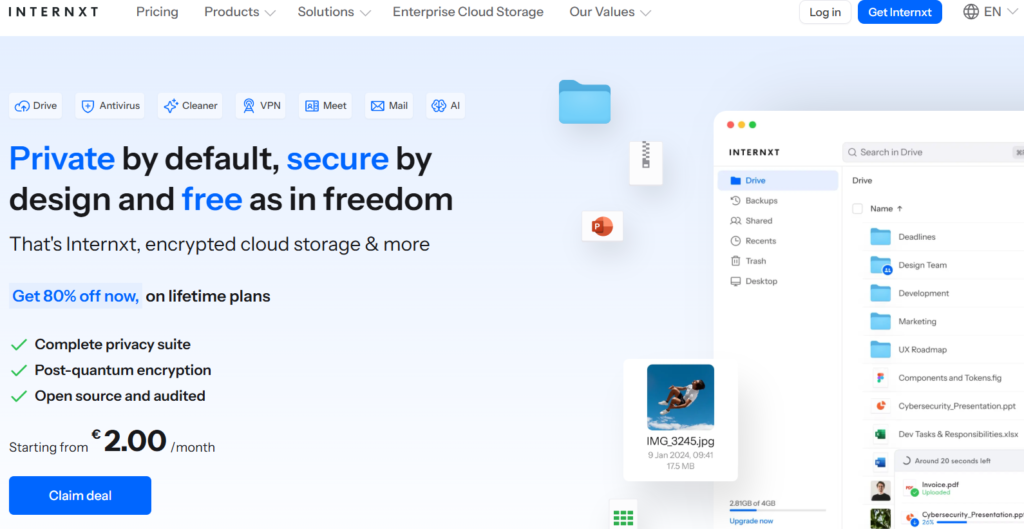
Internxt is a free cloud storage alternative that embraces complete privacy and decentralization. This plan is free and offers you a 10GB capacity with end-to-end encryption.
Your files are split, encrypted, and scattered across nodes, as opposed to being housed in a single company’s server. That is actually more secure than cloud storage.
The apps have improved a lot recently. The web interface is clean. Mobile apps work well on both iOS and Android.
The service is based in Spain and operates under GDPR, which adds another layer of legal privacy protection. For a free tier, the privacy credentials here are excellent.
The key drawback is that Internxt is still maturing. Your upload and sync speeds may be slower than the larger services, like Google Drive or MEGA.
Most suitable for: Users who are conscious of their privacy and require encryption functionality in their free plan.
Internxt pricing: Essential 1TB: ~€24/year. For detail pricing you can check your Cloud Storage Alternatives article.
Koofr – 10GB Free
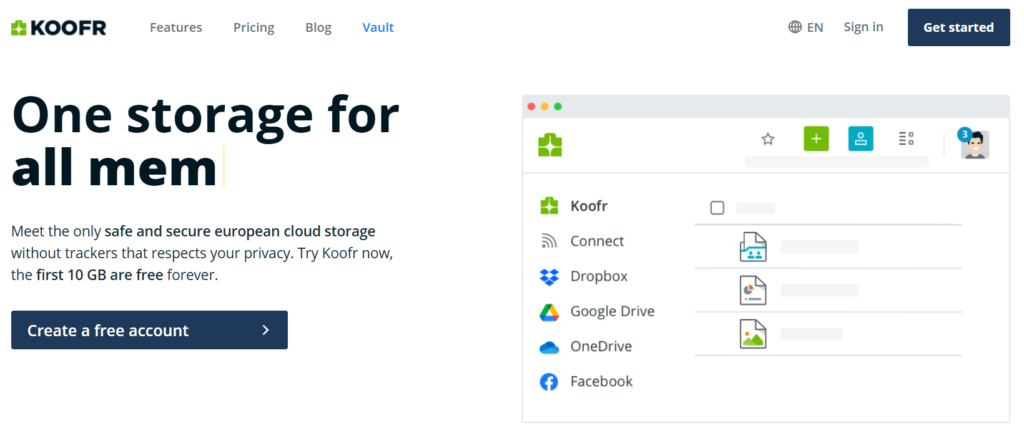
Koofr is a Slovenia-based cloud service that most people haven’t heard of – which is a shame because the free plan is genuinely useful.
You get 10GB free with no ads, no data selling, and no annoying upsell popups every time you log in. The interface is minimal and fast.
Koofr’s unique feature is connecting to third-party cloud services. Koofr enables you to connect your other accounts like Google Drive, Dropbox, Amazon Drive, and manage everything in one place. That’s a feature most paid services charge for.
Koofr is GDPR-compliant and doesn’t monetize your data. The company makes money only from paid plan upgrades. A subscription-based model is more trustworthy than ad-supported services.
Ideal for: those who would like to manage all their cloud accounts in one place
Internxt pricing: M (25GB): ~1 EUR /month.
Box – 10GB Free with 250MB File Size Limit
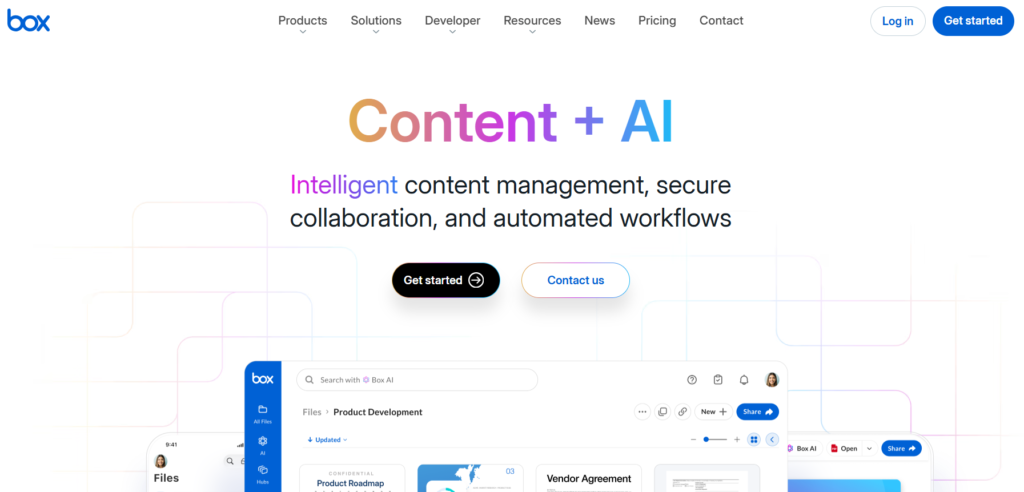
Box is one of the oldest names in cloud storage and still offers a free individual plan in 2026. You receive 10GB of storage, which is decent. The platform is reliable, has excellent app support, and is easily integrated with tools like Microsoft Office and Google Workspace.
A major limitation of Box’s free plan is the 250MB file upload limit. That’s quite limiting. If you are using it just for storing documents, PDFs, and small pictures, you will not notice it. But try to upload a video or a large ZIP file, and you’ll hit that wall immediately.
Box is one of the better free cloud storage alternatives if your use case is document storage and collaboration rather than media backup.
Ideal for: Documents and collaborating on files, students, and professionals
Box Personal Pro: Personal Pro: $16/month for 100GB
Filen – 10GB Free, End-to-End Encrypted
Filen is the most underrated name on this list. The free plan gives you 10GB with full end-to-end encryption built in from the start. That combination is almost impossible to find elsewhere at zero cost.
Filen is a German company operating under strict German and EU privacy laws. The zero-knowledge architecture means no one at Filen can access your data. Files are encrypted locally before they ever leave your device.
The apps are clean and functional on desktop and mobile. The sync performance is good. It is not too difficult to use for non-technicians.
Because it’s still a fairly small service, the community and third-party integrations are much lower than Google Drive or Dropbox. For private encrypted free cloud storage, Filen may be tough to beat in 2026. The interface is simple enough for non-technical users.
Best for: Anyone who wants encryption plus 10GB without spending a cent.
Upgrade path: Filen plans start at a very reasonable price – around $1.99/month for 100GB.
Free Cloud Storage Alternatives Comparison Table
| Service | Free Storage | File Size Limit | Encryption | Best For |
|---|---|---|---|---|
| MEGA | 20GB | 5GB | Client-side (E2E) | Max free storage |
| Proton Drive | 1GB | 1GB | Zero-knowledge | Sensitive documents |
| pCloud | 10GB | No limit | Server-side (E2E paid) | Polished experience |
| IceDrive | 10GB | Unlimited | Server-side (E2E paid) | Virtual drive users |
| Internxt | 10GB | No limit | End-to-end | Privacy-focused users |
| Koofr | 10GB | No limit | Server-side | Multi-cloud management |
| Box | 10GB | 250MB | Server-side | Document collaboration |
| Filen | 10GB | No limit | Zero-knowledge | Encrypted + free |
Free cloud storage alternatives are real and genuinely useful. But nothing is truly free. Here’s what you’re actually trading when you use these services.
Bandwidth throttling: Several free plans limit how fast you can upload or download. MEGA has a transfer quota that resets every few hours. IceDrive limits daily bandwidth on free accounts. You might not notice this with occasional use, but daily heavy use will slow you down.
Data monetization: Not all providers are equal here. Services like Proton Drive, Filen, and Internxt are explicitly privacy-first and don’t monetize your data. Others – especially larger US-based platforms – may analyze usage patterns or show you ads. Always read the privacy policy before uploading anything sensitive.
Limited sharing permissions: Free plans often limit the number of people you can share things with, how long links last, or whether recipients can edit files. You’ll find the free tier limits quickly if collaboration is your main use case.
Storage limits over time: A few services have quietly reduced their free storage in recent years. Dropbox went from unlimited photo storage to barely anything. Google killed unlimited Google Photos storage. Not necessarily will today’s 10GB free plan still be 10GB in 2027. So it makes sense to always have backups somewhere else.
Best Free Cloud Storage Options Compared in 2026
If you’re trying to decide between different platforms, this section will help you quickly understand which best free cloud storage option fits your needs in 2026. Many users today are also actively searching for free cloud storage 2026 solutions, especially as paid plans become expensive and limited free tiers shrink.
When comparing free Google Drive alternatives and free Dropbox alternatives, the main difference comes down to storage size, privacy level, and file-sharing flexibility.
Some services like MEGA offer high storage capacity, while others like Proton Drive focus more on privacy. Meanwhile, tools like pCloud and Koofr give you a balanced experience for everyday file management under a cloud storage free plan.
When Should You Upgrade to a Paid Plan?
The free tiers on this list are genuinely good for light to moderate use. But there are clear moments when paying makes more sense.
You should upgrade when your storage fills up, and you’re regularly deleting old files just to make space. If you’re doing that every month, the time you waste is worth more than the cost of a paid plan.
You should also consider upgrading if you’re storing professionally important files. Client work, contracts, project files – these deserve reliable, fast, dedicated storage with version history and proper backup features.
If you’re collaborating with a team regularly, free plans become a bottleneck fast. Shared folder limits, link expiration, and permission restrictions make teamwork clunky on free tiers. Our business cloud storage guide covers team-ready options.
Most of the services on this list have very affordable entry-level paid plans. Filen at $1.99/month and Koofr at €2.5/month are practically pocket change for what you get.
For a full comparison of affordable paid plans and which services give the best value for money, check out our cloud storage alternatives guide.
Why People Are Switching to Free Cloud Storage Alternatives
More users are now moving away from traditional platforms and exploring free cloud storage alternatives because of limited storage, privacy concerns, and increasing subscription costs.
For example, Google Drive’s shared storage system often fills up quickly, pushing users to look for better free Google Drive alternatives. Similarly, Dropbox’s very small free limit has made it less practical for modern users who need more space.
This shift is why demand for best free cloud storage in 2026 is growing rapidly. People want flexible, secure, and no-credit-card solutions that still work well for daily use.
At the same time, users exploring free Dropbox alternatives are also finding better privacy-focused tools that offer encryption and more control over data.
Conclusion
Cloud storage in 2026 is still alive. You simply must know where to look.
MEGA tops the competition with 20GB and strong encryption. Filen and Proton Drive win on privacy. pCloud and IceDrive offer the most polished experience. Koofr is the smart pick for anyone juggling multiple cloud accounts. And Box is still a solid choice for document-heavy workflows despite the file size limit.
Honest advice? Pick two. Use MEGA or pCloud for everyday files and storage. Use Filen or Proton Drive for anything sensitive. That way, you’re covered without spending anything.
When you eventually outgrow the free tiers – and most people do – the upgrade paths are affordable, and the value is clear.
FAQs
Which cloud storage gives the most free space?
MEGA gives the most free storage among all free cloud storage alternatives in 2026 – a full 20GB with no credit card required. After MEGA, most services land at 10GB. Proton Drive is the exception at 1GB, but that’s because of their extreme privacy focus rather than stinginess.
Is free cloud storage safe?
It is based on a service. Filen, Proton Drive, and Internxt offer zero-knowledge or end-to-end encryption even at their free plan tier, meaning your data is safe from even the provider. Standard services like Box or pCloud free tier use server-side encryption, which is secure against outside attackers but means the company can technically access your files. For truly sensitive data, always use a zero-knowledge provider.
Do I need a credit card to sign up for these services?
No. All of the services reviewed here allow you to create a free account using just an email. You are not required to share your credit card or payment details at any time.
Can I use multiple free cloud storage services at once?
Absolutely – and this is actually a smart strategy. Use MEGA for bulk file storage, Proton Drive or Filen for sensitive documents, and maybe Koofr to connect everything in one dashboard. When combined, you can have free cloud storage alternatives of almost 40-50GB with different providers.
What happens to my files if a free service shuts down?
This is a real risk with smaller providers. The best way is not to use a single cloud service as your only backup. Store a personal copy of key files and use two or more cloud services. The larger and better-funded providers on this list – MEGA, pCloud, Box – are lower risk in this regard.
For a complete comparison of both free and premium tools, check our main cloud storage alternatives guide.

